


Remote meetings
It listens to the meeting app's audio and your microphone together, and notes whether they asked or you did.
It stays out of screen shares, to keep internal code off the shared screen.
macOS 14 or later · Apple Silicon
The moment someone asks “why did we decide it this way?”, Tacie finds the answer and its source in your team's PRs and docs and puts it up. No reopening old debates; you decide right there.
macOS 14 or later · Apple Silicon · No bot joins your meeting
Tacie is recorded from the real app; the meetings around it are examples.
Where it works
A small Tacie at the top of your screen listens, and opens the answer when a question comes up.
It listens to the meeting app's audio and your microphone together, and notes whether they asked or you did.
It stays out of screen shares, to keep internal code off the shared screen.
It listens through one microphone. Big view lets you turn your laptop around to show it: the answer grows to 26pt and a few lines of code appear with it.
Even outside a meeting, ⌃⌥⌘A turns the island into an input field. During a meeting, it adds the last 3 lines of conversation as context.
What an answer looks like
The sentence is written only from the three sources it found. If they don't contain the answer, it says so.

Shown small inside the island. In remote meetings it also notes whether you asked or they did.
16pt, written only from the passages it found. No “according to the docs.”
Each chip shows the file it came from and one line of what it says. Click to open that spot.
After it hears
Tacie transcribes the whole meeting but lets small talk and “mm-hm”s pass. When a question comes up that it can look up, it searches what you're allowed to see and puts a card up within seconds of the speaker finishing.
Decided in PR #812. Retrying right away hit the external API limit, so queue/retry.py waits 2 seconds and doubles each time.
Waiting for a question to look up.
Slowed down here so each step shows. Names and code are examples.
What it reads
Connect GitHub, Notion or Linear and Tacie keeps its own copy, syncing on its own every 30 minutes.
Listens to
Looks in
In remote meetings it hears the meeting app's audio on your Mac plus your microphone, so it works with any meeting app and no bot joins the call.
Privacy
Transcripts and answers are never stored on Tacie's servers. Material you can't see is never sent to AI models.
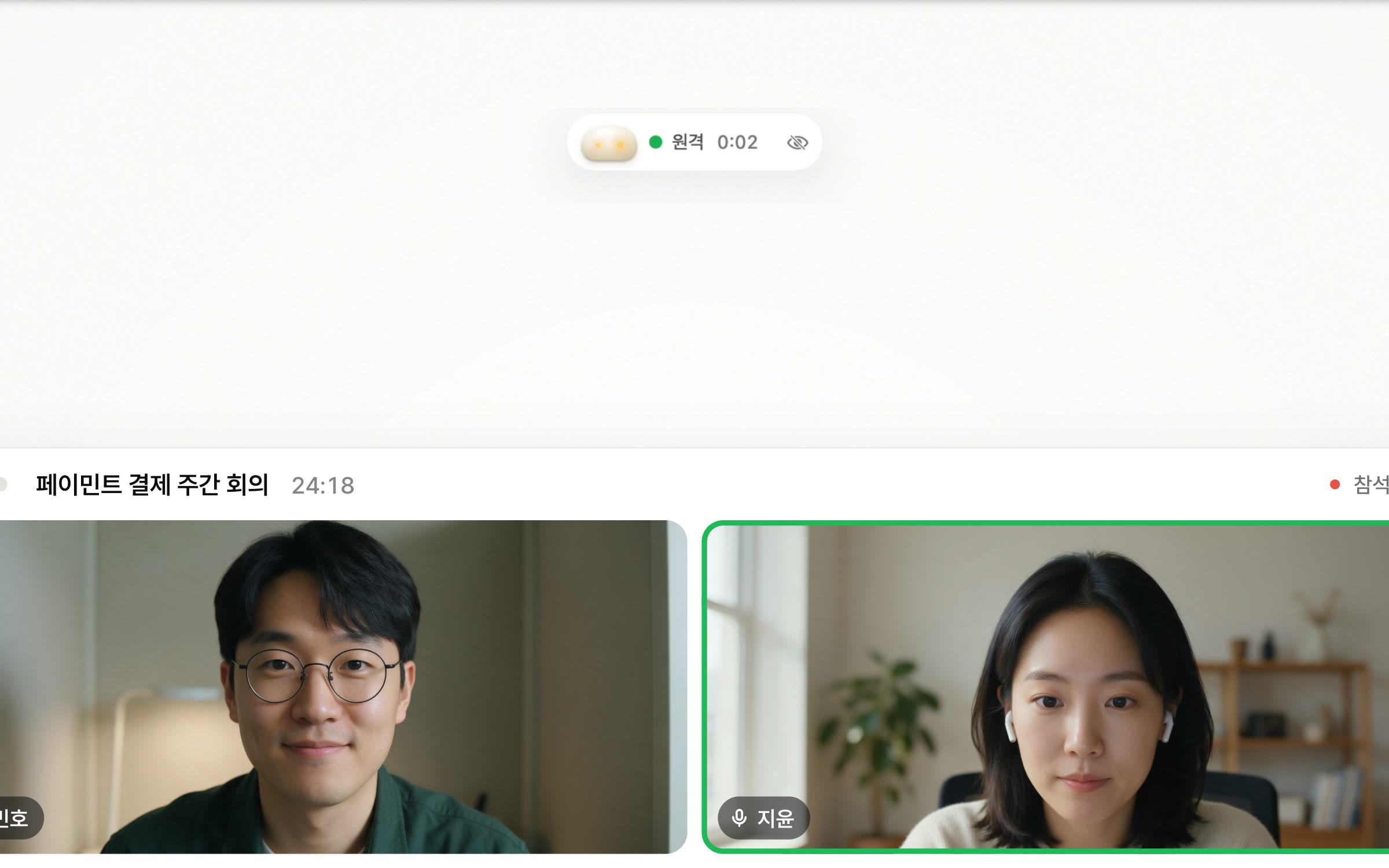

It doesn't show up in screen sharing or recordings.
This isn't about hiding Tacie; it's about keeping internal code off shared screens. You can copy a notice for attendees from the menu bar.
Get started
A first-run guide opens and walks you through signing in.
Connect GitHub, Notion or Linear, whichever you use. A small repository is ready in minutes.
Click Tacie at the top of the screen and choose in person, remote or ask directly.
⌃⌥⌘MSign up and start right away. About one hour of meetings a month is free.
FAQ
Other meeting assistants hand you notes after the meeting. Tacie isn't that. It puts the answer and its source file up during the meeting, right where the question comes up. There's a meeting recap too, but that's a bonus.
No. For each utterance it first judges whether it's a question that needs your team's code and docs. Small talk and scheduling are skipped.
It's built not to. If the score is below the bar, it writes no answer sentence and says “Nothing certain found.” Answers are written only from the passages it found, and clicking a chip takes you straight to the source. Questions it couldn't answer are collected after the meeting into a “questions to document” list.
No. It listens to the meeting app's audio on your Mac plus your microphone, so it works with any meeting app, Zoom and Google Meet included.
Transcripts, answers and the content copied from your connected tools stay on your Mac. Meeting recordings happen only if you turn them on, and they stay on your Mac too. Tacie's servers don't store your meetings.
No. It searches only what your connected account can see. Anything you can't access is filtered out before the search and never sent to AI models.
For now it runs only on Apple Silicon Macs with macOS 14 or later, and the app itself is in Korean. There are no plans for Windows yet.
It's a free beta for now. Sign up and about one hour of meetings a month is free. We plan to move to a subscription later.
Everyone talks with the evidence in front of them. Nobody went looking, and the answer is already there.
macOS 14 or later · Apple Silicon